
Unity Build イシュー解決まとめ - Gradle build failed, type initializer exception

Unity Build イシュー解決まとめ - Gradle build failed, type initializer exception
Build Error シリーズ (3 / 8)
- Unity Build イシュー解決まとめ - ID 238, Strip Engine Code, cs0246
- Unity - xcworkspace が生成されない問題の解決
- Unity Build イシュー解決まとめ - Gradle build failed, type initializer exception
- Unity Android Permission が削除されない問題の解決方法
- Unity Androidビルドエラー解決 - DexArchiveMergerException & MultiDex
- Unity iOSビルドエラー解決 - Microphone Usage Description & BeeBuildPostprocessor
- Unity iOS TestFlightアップロードエラー解決 - Asset validation failed (90206) Invalid Bundle
- Unity Addressableエラー解決 - RuntimeData is null, Invalid path in TextDataProvider

目次
1. Gradle build failed エラー
- 発生したエラーログ:
1
2
3
4
5
6
Picked up JAVA_TOOL_OPTIONS: -Dfile.encoding=UTF-8

FAILURE: Build failed with an exception.

* What went wrong:
Execution failed for task ':launcher:checkReleaseDuplicateClasses'.
1
2
3
4
5
6
7
8
9
Starting a Gradle Daemon, 3 stopped Daemons could not be reused, use --status for details
WARNING:We recommend using a newer Android Gradle plugin to use compileSdk = 33

This Android Gradle plugin (7.1.2) was tested up to compileSdk = 32

This warning can be suppressed by adding
    android.suppressUnsupportedCompileSdk=33
to this project's gradle.properties
1
2
CommandInvokationFailure: Gradle build failed.
/Applications/Unity/Hub/Editor/2022.3.4f1/PlaybackEngines/AndroidPlayer/OpenJDK/bin/java -classpath "/Applications/Unity/Hub/Editor/2022.3.4f1/PlaybackEngines/AndroidPlayer/Tools/gradle/lib/gradle-launcher-7.2.jar" org.gradle.launcher.GradleMain "-Dorg.gradle.jvmargs=-Xmx4096m" "assembleRelease"
主な症状
- Android ビルド時に発生。
- Project Settings - Other Settings の
Minimum API Level/Target API Level設定が原因だった。
解決方法
- Android 13 (API 33) 以降は通知やメディアアクセス権限の扱いが厳格化されたため、
Assets/Plugins/Android/AndroidManifest.xmlに権限を追加する必要がある。現在は API 34 へ移行しているので、常に最新要件を確認する。
1
2
3
4
5
6
7
  <uses-permission android:name="android.permission.POST_NOTIFICATIONS" android:minSdkVersion="33"/>
          <uses-permission android:name="android.permission.READ_MEDIA_IMAGES" android:minSdkVersion="33"/>
          <uses-permission android:name="android.permission.READ_MEDIA_VIDEO" android:minSdkVersion="33"/>
          <uses-permission android:name="android.permission.READ_MEDIA_AUDIO" android:minSdkVersion="33"/>
          <uses-permission android:name="android.permission.WRITE_EXTERNAL_STORAGE" android:maxSdkVersion="32"/>
          <uses-permission android:name="android.permission.READ_EXTERNAL_STORAGE" android:maxSdkVersion="32"/>
          android:requestLegacyExternalStorage="true"
- さらに
Minimum API Level: 22,Target API Level: 33に設定して再ビルド。 - Jenkins ビルドは通るが手動ビルドだけ失敗する場合、
Target API Levelを auto にすると通ることがある。
2. Error: The type initializer for ‘Google.Protobuf.WellKnownTypes.StructReflection’ threw an exception.
主な症状
- mac mini ビルドマシンで発生。
- 2023-08-22 追記
- iOS 自動ビルド成功後でも次のエラーが出た:
1
2
3
4
Exception: DescriptorValidationException: google.protobuf.Value.kind: Method ClearKind not found in Google.Protobuf.WellKnownTypes.Value
Google.Protobuf.Reflection.OneofDescriptor.CreateAccessor (System.String clrName) (at <00000000000000000000000000000000>:0) Google.Protobuf.Reflection.OneofDescriptor..ctor
(Google.Protobuf.Reflection.OneofDescriptorProto proto, Google.Protobuf.Reflection.FileDescriptor file, Google.Protobuf.Reflection.MessageDescriptor parent, System.Int32 index, System.String
clrName) (at <00000000000000000000000000000000>:0) Google.Protobuf.Reflection.MessageDescriptor+<>c__DisplayClass5_0.<.ctor>b__0 (Google.Protobuf.Reflection.OneofDescriptorProto oneof,
- ログの Reflection 関連を追うと、
link.xmlにGoogle.Protobufpreserve が不足していた。
原因
- Unity + IL2CPP で C# reflection と enum を使う際のストリッピング問題と推定。
- reflection 経由でのみ参照されるコードを IL2CPP が不要と判断して除去した可能性が高い。
解決方法
- プロジェクト
Assets配下のlink.xmlに追記:
1
2
3
<linker>
    <assembly fullname="Google.Protobuf" preserve="all"/>
</linker>
- それでもダメな場合は次も追加:
1
<linker> <assembly fullname="DataModelBindings" preserve="all"/> </linker>
3. App Bundle Size Warning
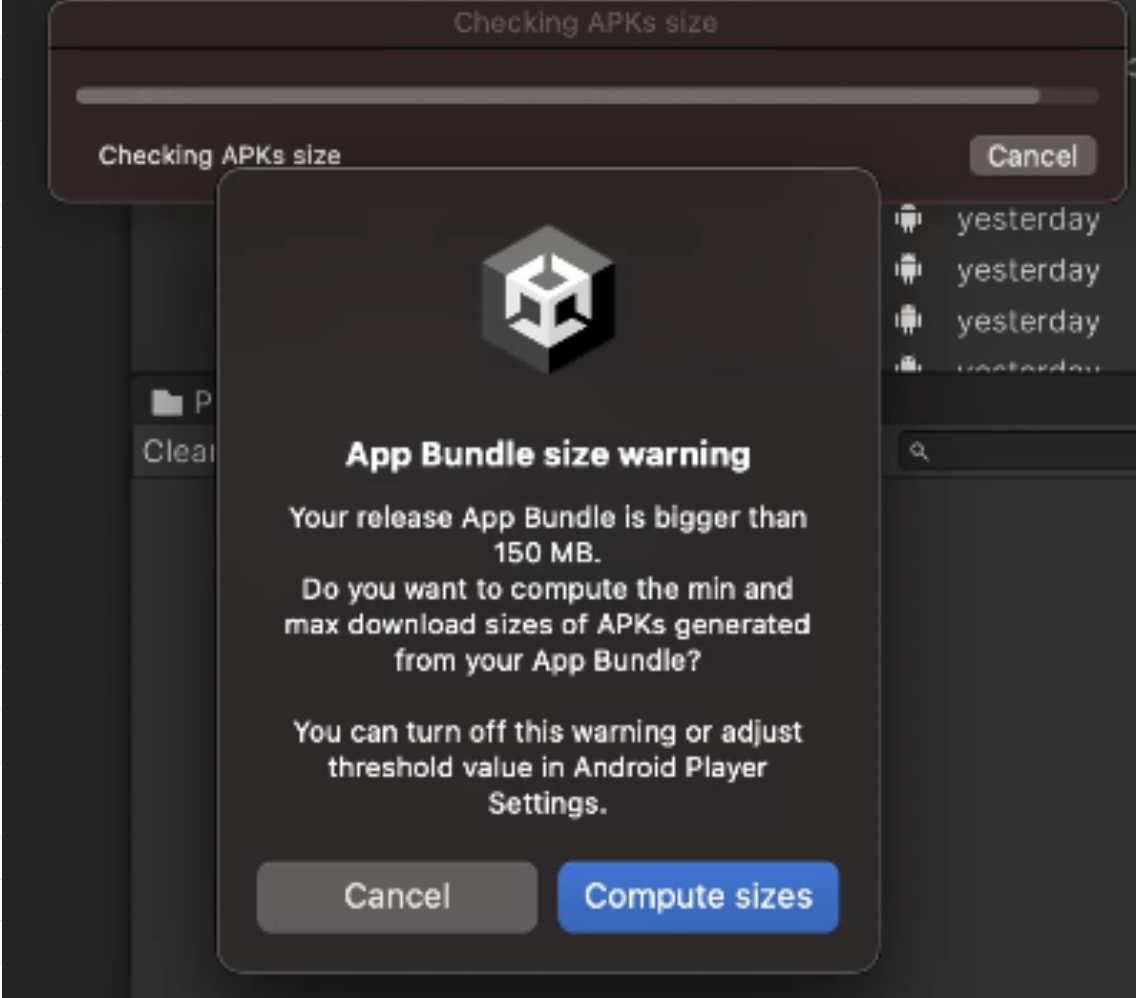
主な症状
- Google Play Store へアップロードするには
.aabビルドが必要。 Build Settings - Build App Bundle (Google Play)を有効にすると.aab出力になる。- ただし 150MB を超えると上記警告が出る。
- そのため Addressable asset system で初期アプリ容量を削減する必要がある。
- 初回起動に必須なリソース以外は Addressable group へ分離し、パッチ配信でダウンロードする構成にする。
この記事は著者の CC BY 4.0 ライセンスの下で提供されています。