
How to Enable Live Coding with Rider on Unreal Mac OS

How to Enable Live Coding with Rider on Unreal Mac OS
MacOS Series (1 / 2)
- How to Enable Live Coding with Rider on Unreal Mac OS
- Unreal Mac OS Project Load Error Fix (Xcode Version Issue)

Enabling Live Coding with Rider on Unreal Mac OS
- I couldn’t find a way to use Rider for Live Coding on Mac OS (M4) no matter how much I Googled, so I found it myself.
1. Preference Settings
- On Mac, Unreal Preference settings can be found in the top toolbar. Shortcut: Cmd + ,
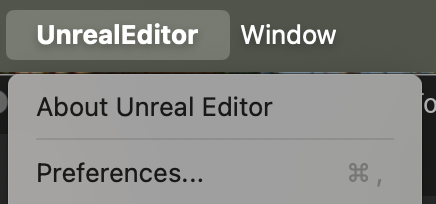
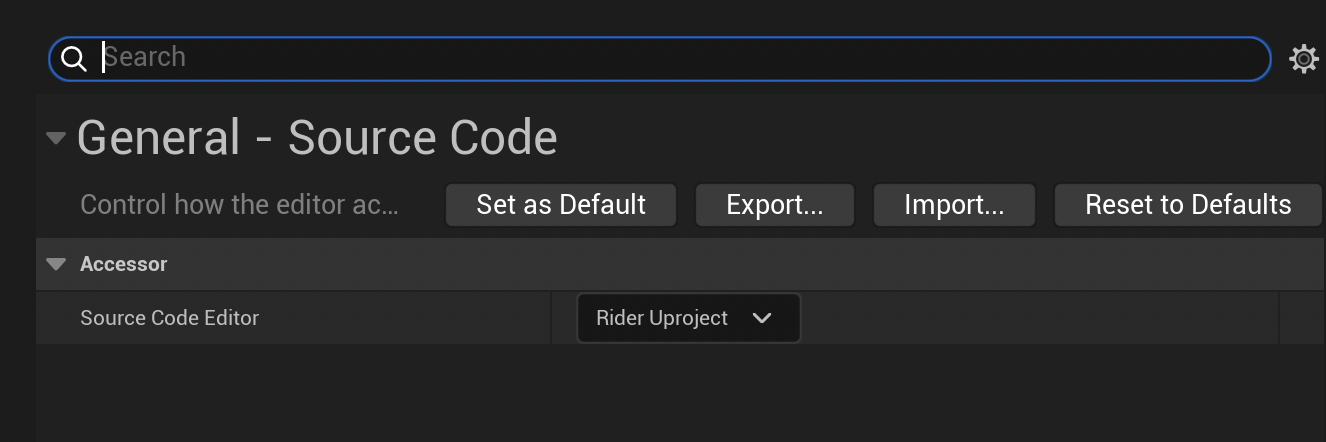
- Go to Source Code and set it to Rider UProject.
2. Run “Refresh Rider Uproject Project” in Tools
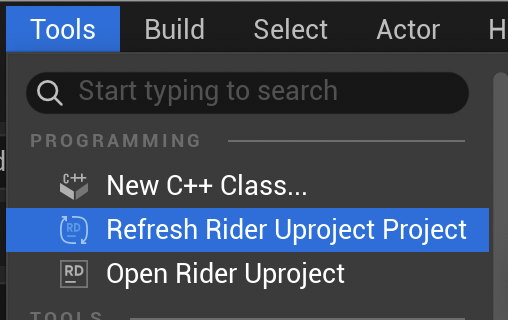
- Rider UProject must be open.
3. Click the grid icon in the bottom toolbar of the Unreal Project to run Live Coding…
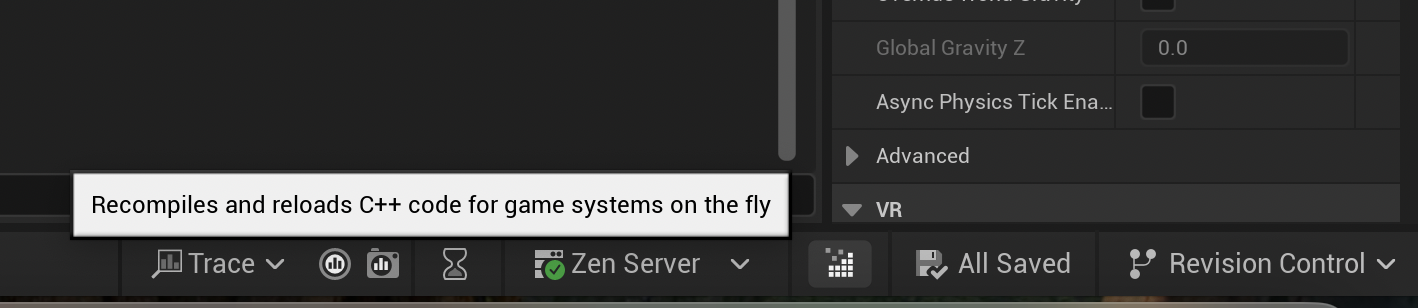
- I can’t believe it was hidden here… I’ll have to look for a way to set a shortcut key…
This post is licensed under CC BY 4.0 by the author.