
Unity Build Automation - Jenkins

- Unity Build Automation - fastlane
- Unity Build Automation - Build Pipeline & Addressable
- Unity Addressable Build Error Fix - Animator Not Running
- Unity Build Automation - Jenkins
- Unity iOS ~ Xcode Build Pipeline Guide
- Unity iOS - Xcode Code Signing Guide (Certificates & Provisioning Profile)
- Jenkins Build Pipeline - Plugin List

About Jenkins
- Jenkins is a build support tool used across both client and server projects.
- In Toyverse, both server and client builds/deployments were done through Jenkins.
Project branches were split into Alpha, Dev, and Real.
Dev = ongoing development branch,
Alpha = QA/internal test branch,
Real = production/store branch.Actual jobs created in Jenkins
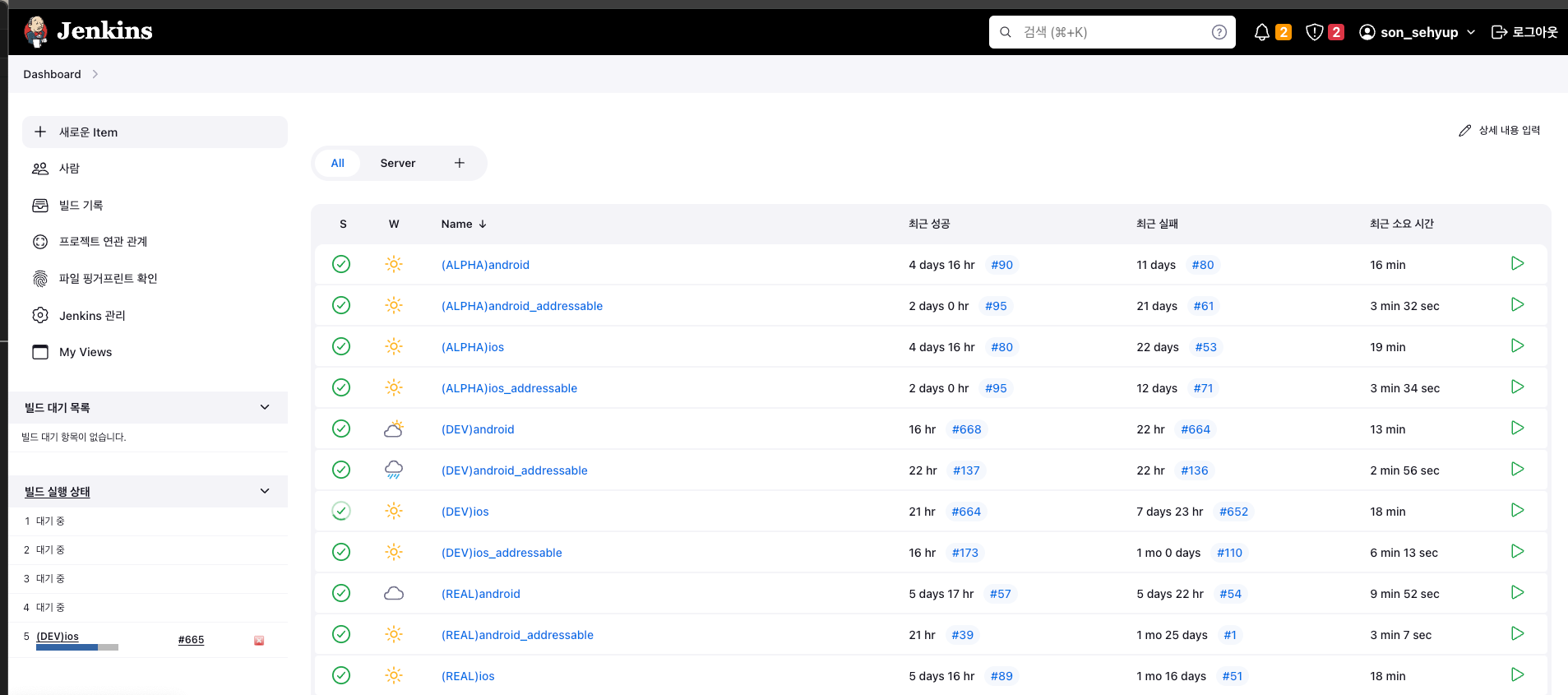
Job architecture diagram
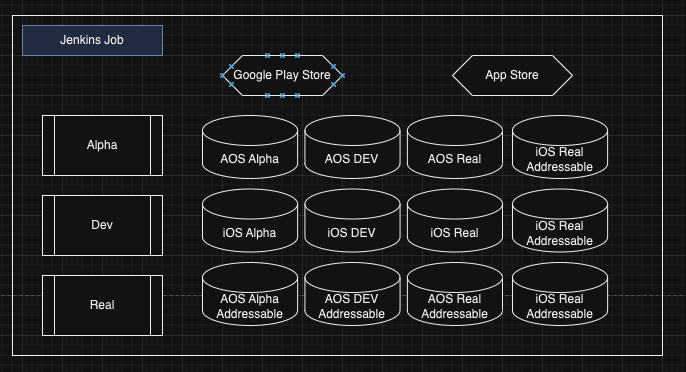
- Client side supported aos/ios build jobs for Alpha/Dev/Real.
- Server side supported API, CMS, and Realtime builds.
Jenkins basics to understand
- Local path where Jenkins workspaces are stored:
./jenkins - workspace - Jobs created on Jenkins dashboard are each mapped to separate local workspace folders on build machine.
It consumes huge disk space. Build machine is often dedicated for this reason. Jenkins backup/plugin/cache/job projects together can grow up to 600GB. This was also one reason fastlane-only flow became difficult.
Below image shows Jenkins job projects in mac finder. Since these are all Unity projects, disk usage grows quickly.
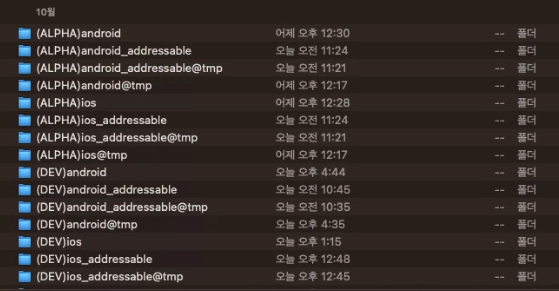
- It may look inefficient to split and duplicate this much.
But there are practical reasons:
- Hotfix branches
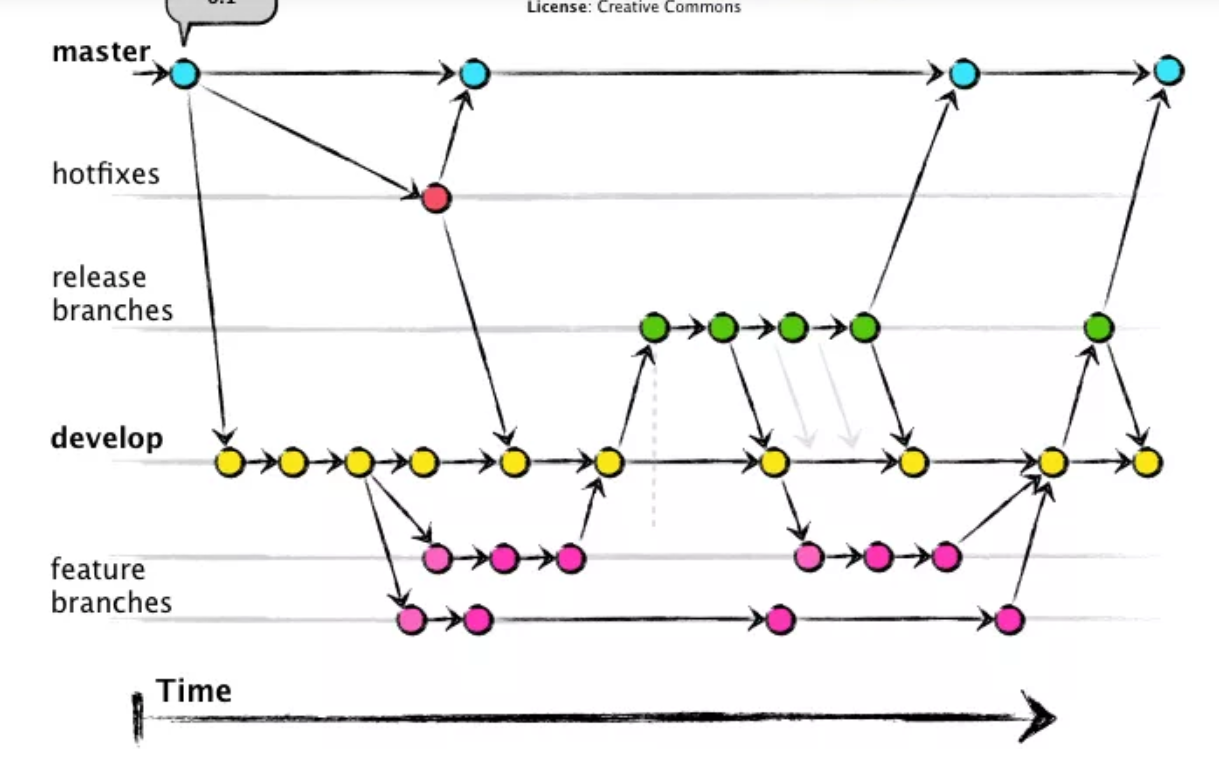
- After live launch, bugs not found by QA or bugs under production load inevitably appear.
- At this point, you need a hotfix branch based on live branch for quick response.
- You must not deploy a develop branch with in-progress content directly to live.
- This is why jobs are separated into Dev / Real / Alpha.
- iOS Certificates / Identifiers / Profiles
- iOS builds need distinctions like Ad hoc/In House, Enterprise, Distribution, Development.
- Availability of features (Apple login, IAP, etc.) differs by profile type.
- For example, Enterprise may not allow Apple login/IAP test in the same way In House does.
- This is another reason for split jobs.
- iOS Certificates / Identifiers / Profiles
- Biggest reason: production and dev servers are separated. DB/API endpoints differ, so build/deploy lines must be separated.
Jenkins plugins and environment variables
- Setup guides are widely available, so this section focuses on essential plugins/variables.
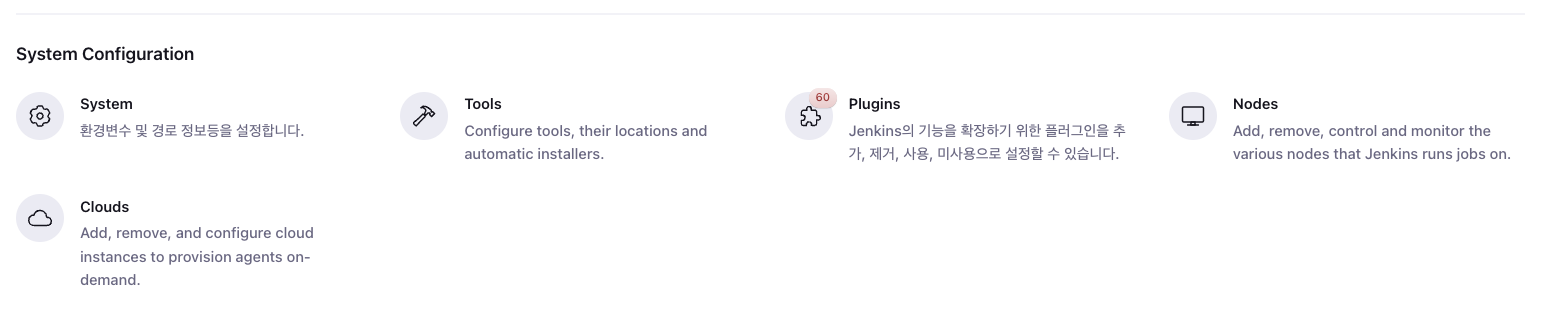
Path: Jenkins Dashboard - Manage Jenkins - System Configuration
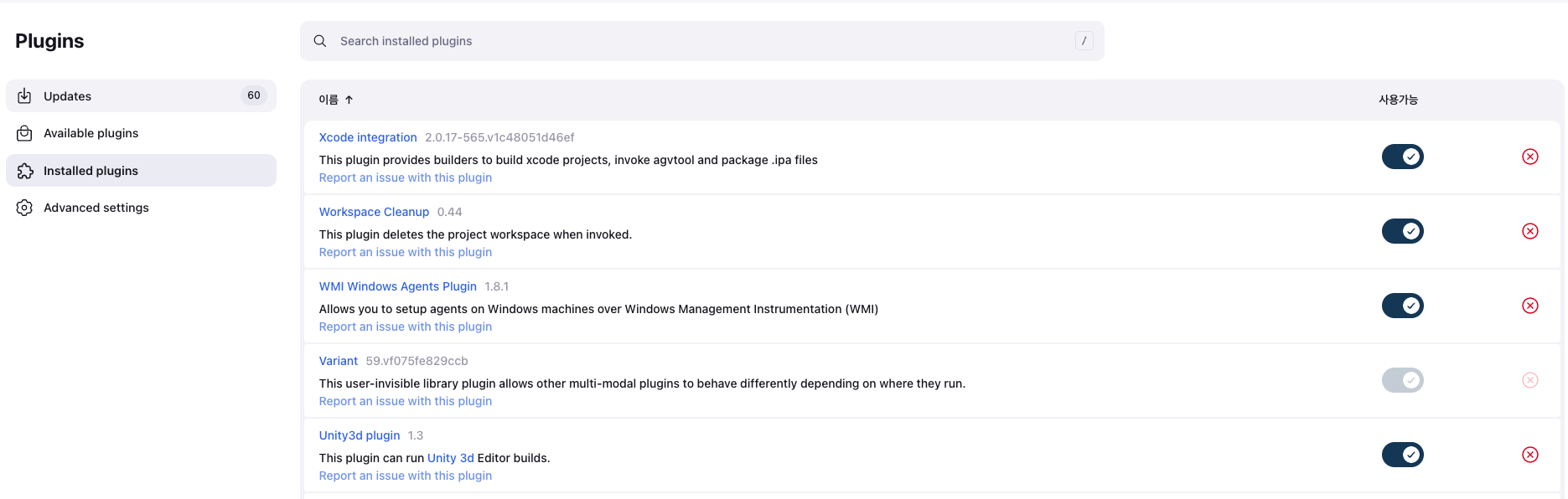
Plugins
- Plugins are essential to extend Jenkins functionality.
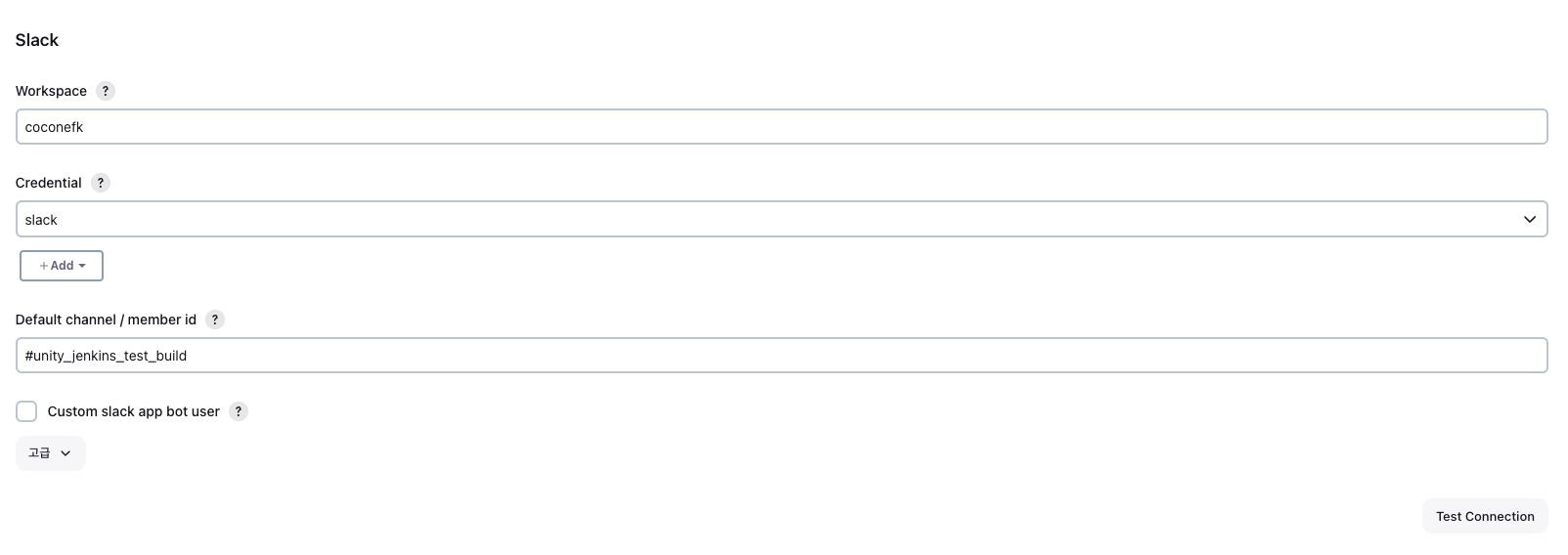
- Typical ones: Xcode integration, Unity3d plugin, App Center, Slack Notifications, Gradle, GitLab, Github Branch Source, Ant.
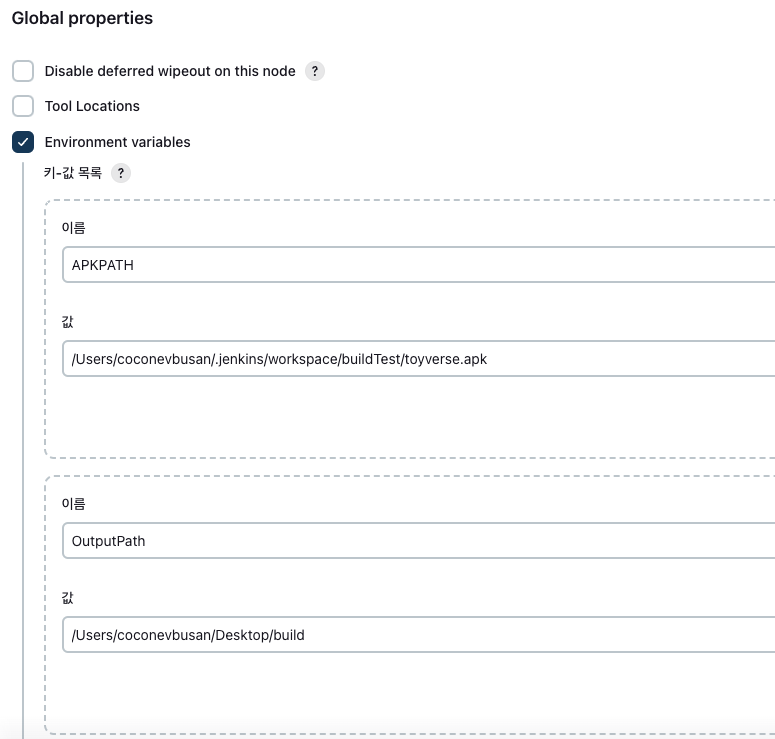
Environment variables
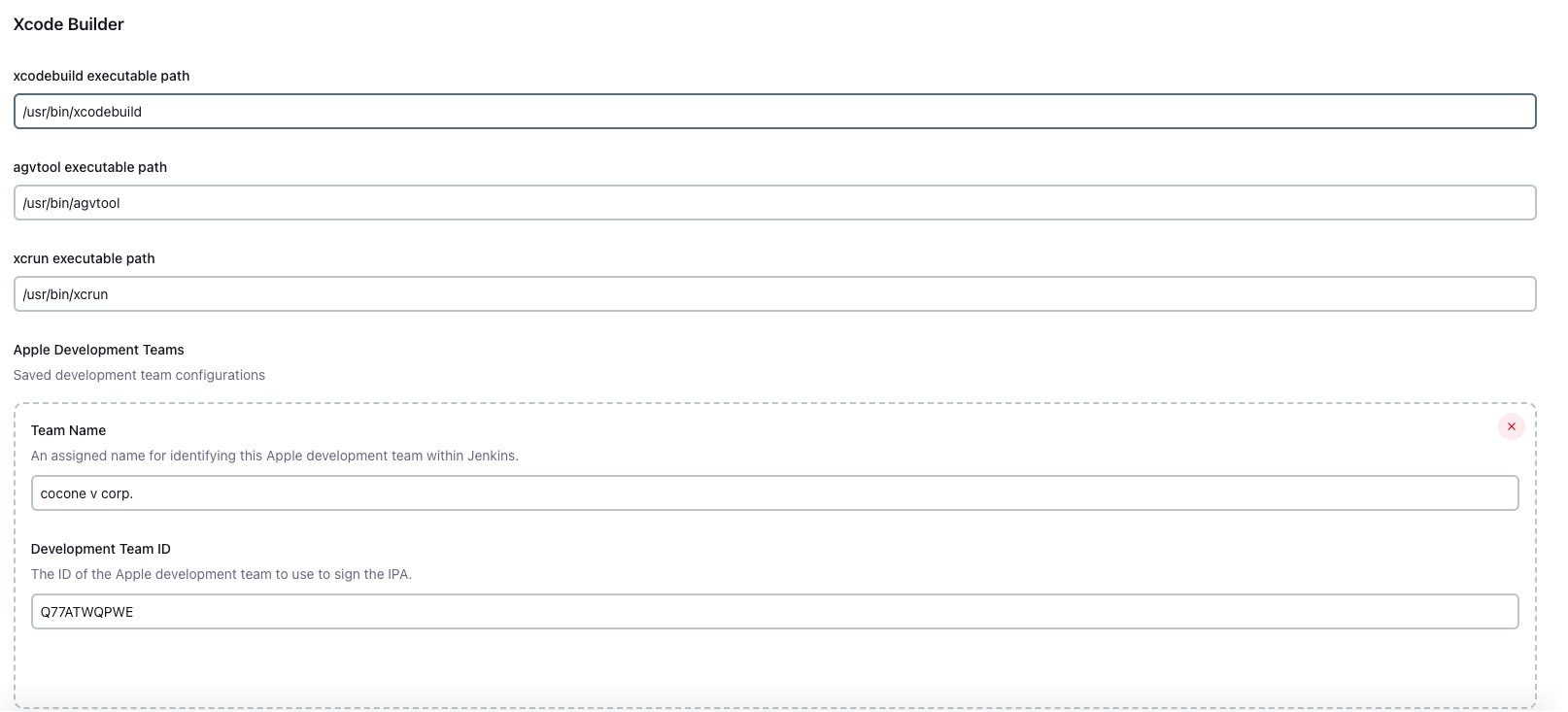
- Used to set global key values (paths, IDs, tokens).
- Common global values include build machine project path, Unity install path, apk/ipa upload path, Slack keys, Apple Developer team IDs, etc.
How to use Jenkins
- There are many ways: pipeline scripts, adding plugins under General, and more.
- Personally, using Execute shell scripts was the simplest and easiest.
- Build triggers/environment/post actions often don’t need extra changes if post-processing is already scripted.
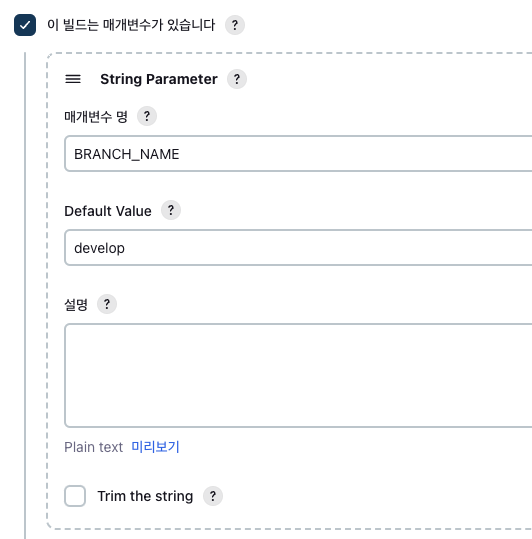
General tab - add parameters
- You can create string/bool parameters and use them during builds.
Example: pass branch name parameter to build latest from specific branch.
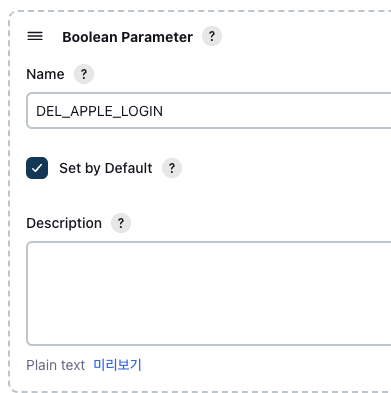
bool values can control environment-specific behavior (e.g. Apple Login only for InHouse; Enterprise build may fail).
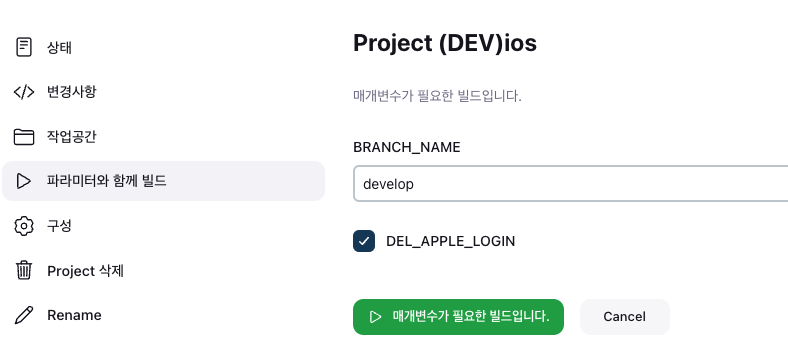
- When clicking build with parameters, added fields appear like below.
Set branch name and bool flags as needed.
General tab - Git branch
- Use the branch parameter in Git branch field to build target branch.
Repository URL must be correct.
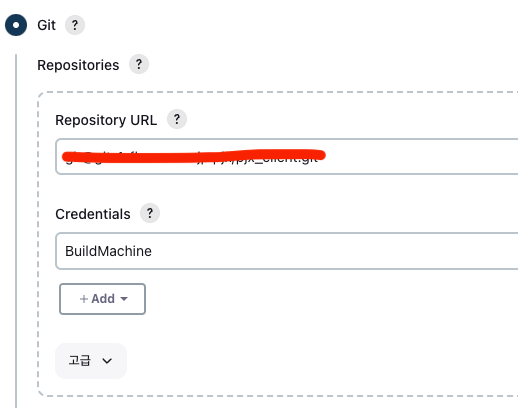
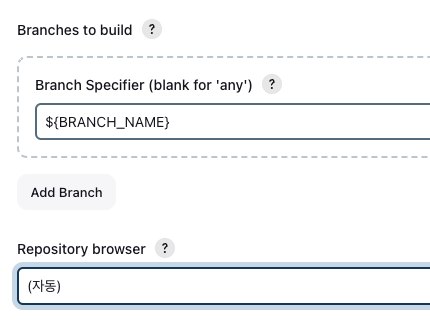
Execute shell
- Run shell scripts for project build. Think of it as background terminal commands.
Commands are standard terminal commands.
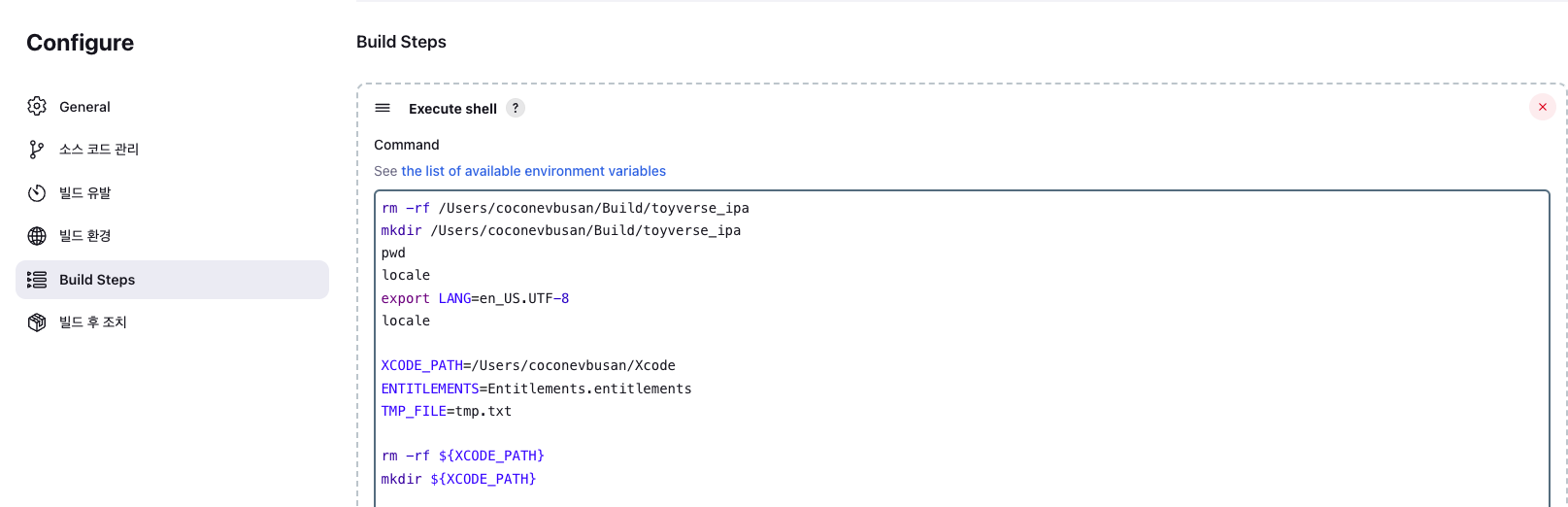
iOS build script
- More complex than aos. Flow is Unity project -> Xcode project -> ipa.
1
2
rm -rf /Users/YOUR_USERNAME/Build/toyverse_ipa
mkdir /Users/YOUR_USERNAME/Build/toyverse_ipa
- First clear/create output directory for final ipa.
1
2
3
4
pwd
locale
export LANG=en_US.UTF-8
locale
- Added due to xcworkspace generation issue.
1
2
3
4
5
6
XCODE_PATH=/Users/YOUR_USERNAME/Xcode
ENTITLEMENTS=Entitlements.entitlements
TMP_FILE=tmp.txt

rm -rf ${XCODE_PATH}
mkdir ${XCODE_PATH}
- Since Unity iOS build outputs Xcode project, initialize that path too.
1
2
3
4
5
echo ------------------------------------- FASTLANE_SETTING
rm -rf "${WORKSPACE}/fastlane/Fastfile"
rm -rf "${WORKSPACE}/fastlane/Gymfile"
cp "${WORKSPACE}/fastlane/Fast/Fastfile_enterprise" "${WORKSPACE}/fastlane/Fastfile"
cp "${WORKSPACE}/fastlane/Gym/Gymfile_enterprise" "${WORKSPACE}/fastlane/Gymfile"
- Set fastlane
FastfileandGymfile. WORKSPACEpoints to current Jenkins job local path (no extra parameter needed).
1
2
echo ------------------------------------- INIT
/opt/homebrew/bin/fastlane init
- Initialize fastlane.
1
2
3
4
5
echo ------------------------------------- FIREBASE_SETTING
rm -rf "${WORKSPACE}/Assets/Scripts/Manager/Firebase/Setting/GoogleService-Info.plist"
cp "${WORKSPACE}/Assets/Scripts/Manager/Firebase/Config/GoogleService-Info_enterprise.plist" "${WORKSPACE}/Assets/Scripts/Manager/Firebase/Setting/GoogleService-Info.plist"
echo ------------------------------------- UNITY IOS PROJECT BUILD
/Applications/Unity/Hub/Editor/2022.3.4f1/Unity.app/Contents/MacOS/Unity -projectPath "/Users/YOUR_USERNAME/.jenkins/workspace/(DEV)ios" -batchmode -nographics -quit -buildTarget iOS -executeMethod ProjectBuilder.BuildIOS_Dev -logfile "" build_num:${BUILD_NUMBER}
- Run Unity project build in batchmode.
- Originally tried Unity build via fastlane, but changed to direct batchmode due constraints.
1
2
3
4
5
6
7
8
9
10
echo ------------------------------------- Pod Install
cd /Users/YOUR_USERNAME/Xcode
/opt/homebrew/bin/pod install
cd "/Users/YOUR_USERNAME/.jenkins/workspace/(DEV)ios"
if "${DEL_APPLE_LOGIN}"; then
	echo ------------------------------------- Delete Sign in Apple
	/usr/bin/sed '7,10d' ${XCODE_PATH}/${ENTITLEMENTS} > ${XCODE_PATH}/${TMP_FILE}
	rm -rf ${XCODE_PATH}/${ENTITLEMENTS}
	cp ${XCODE_PATH}/${TMP_FILE} ${XCODE_PATH}/${ENTITLEMENTS}
fi
pod installis required before Xcode build.
1
2
3
4
echo ------------------------------------- XCODE PROJECT BUILD
/opt/homebrew/bin/fastlane ios build_ios_gym
echo ------------------------------------- UPLOAD APPCENTER
/opt/homebrew/bin/fastlane ios upload_appcenter
- Use gym file to build Xcode project.
- AppCenter upload lane is inside Fastfile.
AOS build script
1
2
3
4
5
6
7
8
9
10
11
12
13
14
15
rm -rf /Users/YOUR_USERNAME/Build/toyverse_apk
mkdir /Users/YOUR_USERNAME/Build/toyverse_apk
pwd
chmod 755 ./fastlane/change_build_num.sh
./fastlane/change_build_num.sh ${BUILD_NUMBER}

echo ------------------------------------- INIT
/opt/homebrew/bin/fastlane init
#echo ------------------------------------- ADDRESSABLE
#/opt/homebrew/bin/fastlane android addrressable
echo ------------------------------------- ANDROID BUILD
#/opt/homebrew/bin/fastlane android android
/Applications/Unity/Hub/Editor/2022.3.4f1/Unity.app/Contents/MacOS/Unity -projectPath "/Users/YOUR_USERNAME/.jenkins/workspace/(DEV)android" -batchmode -nographics -quit -buildTarget Android -executeMethod ProjectBuilder.BuildAndroid_Dev -logfile "" build_num:${BUILD_NUMBER}
echo ------------------------------------- UPLOAD APPCENTER
/opt/homebrew/bin/fastlane android upload_appcenter
Addressable scripts
- iOS
1
2
3
4
5
6
7
8
9
10
11
12
13
14
pwd
locale
export LANG=en_US.UTF-8
locale

echo ------------------------------------- INIT
/opt/homebrew/bin/fastlane init
echo ------------------------------------- CLEAR ADDRESSABLE
rm -rf ${WORKSPACE}/ServerData/iOS/*
echo ------------------------------------- ADDRESSABLE
"/Applications/Unity/Hub/Editor/2022.3.4f1/Unity.app/Contents/MacOS/Unity" -projectPath "/Users/YOUR_USERNAME/.jenkins/workspace/(DEV)ios_addressable" -batchmode -nographics -quit -buildTarget iOS -executeMethod ProjectBuilder.BuildAddressable_IOS_Dev -logfile
echo ------------------------------------- S3 UPLOAD
chmod 775 ${WORKSPACE}/fastlane/upload_addressable_s3.sh
${WORKSPACE}/fastlane/upload_addressable_s3.sh ${WORKSPACE}/ServerData/iOS ios ${RESOURCE_VERSION} dev alpha
- AOS
1
2
3
4
5
6
7
8
9
10
11
pwd

echo ------------------------------------- INIT
/opt/homebrew/bin/fastlane init
echo ------------------------------------- CLEAR ADDRESSABLE
rm -rf ${WORKSPACE}/ServerData/Android/*
echo ------------------------------------- ADDRESSABLE
"/Applications/Unity/Hub/Editor/2022.3.4f1/Unity.app/Contents/MacOS/Unity" -projectPath "/Users/YOUR_USERNAME/.jenkins/workspace/(DEV)android_addressable" -batchmode -nographics -quit -buildTarget Android -executeMethod ProjectBuilder.BuildAddressable_AOS_Dev -logfile
echo ------------------------------------- S3 UPLOAD
chmod 775 ${WORKSPACE}/fastlane/upload_addressable_s3.sh
${WORKSPACE}/fastlane/upload_addressable_s3.sh ${WORKSPACE}/ServerData/Android aos ${RESOURCE_VERSION} dev alpha