
Unity Addressable Build Error Fix - Animator Not Running

Unity Addressable Build Error Fix - Animator Not Running
Build Series (3 / 7)
- Unity Build Automation - fastlane
- Unity Build Automation - Build Pipeline & Addressable
- Unity Addressable Build Error Fix - Animator Not Running
- Unity Build Automation - Jenkins
- Unity iOS ~ Xcode Build Pipeline Guide
- Unity iOS - Xcode Code Signing Guide (Certificates & Provisioning Profile)
- Jenkins Build Pipeline - Plugin List

Table of Contents
Issue: Animator not running in Unity iOS/AOS build including Addressables
Main symptoms and analysis
- This issue occurred while developing the Toyverse project.
- Home Scene used Home Character prefab, World Scene used World Character prefab.
- Home Character animations played fine, but World Character animator/animation clips did not run.
- Addressable Groups profile was
Default, and Play Mode Script wasUse Asset DataBase (fastest).In other words, addressable bundles were included in apk/ipa build, not pulled through patch delivery.
- Character movement used FSM states, driven by Animator Controller parameters and animation states.
At first I thought it was an FSM logic bug. In Idle -> Jump transition, it seemed to ignore GroundChecker and stay in Jump.
But debug logs showed no logic issue. After digging more, it looked like Animator Controller for World Character was missing from Addressable build.
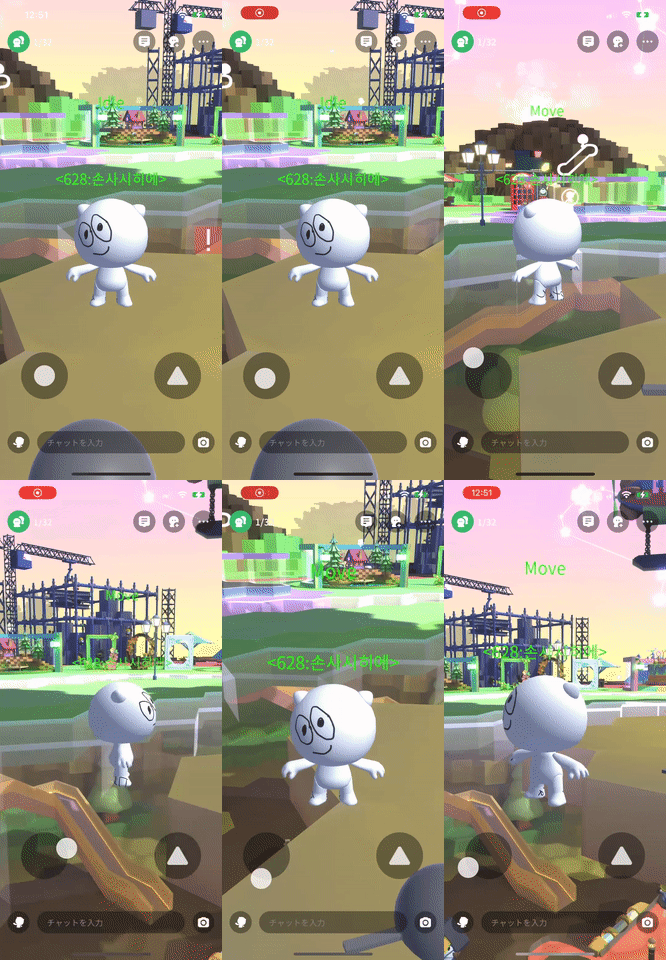
- The image above shows behavior when Addressable build is not configured correctly.
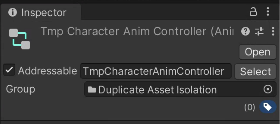
- I checked World Character Animator Controller and found Addressable was not checked. I enabled it and rebuilt, but still got T-pose.
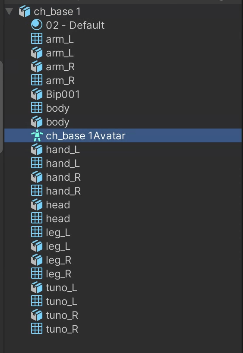
- Then I suspected Avatar assigned to Animator might be missing. Checking model hierarchy revealed:
- Avatar under model was also not registered in Addressable Groups.
Solution
- Character prefab is correctly assigned to Addressable group.
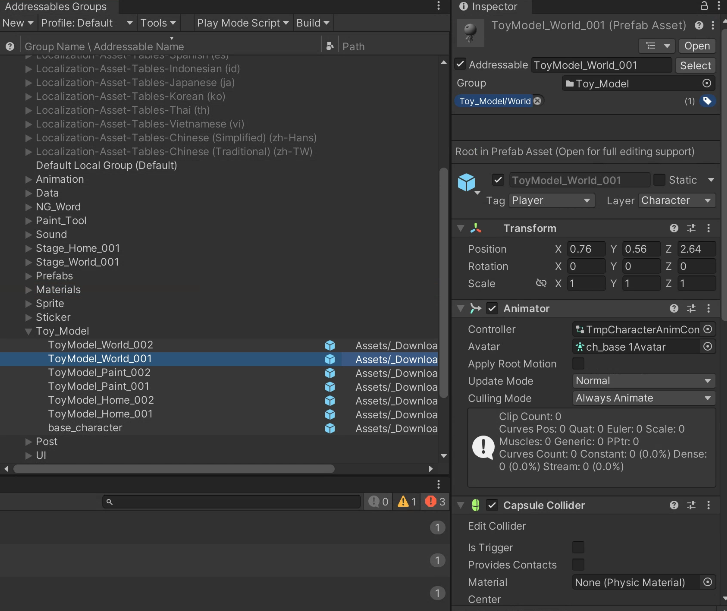
- Check Animator component’s Animator Controller and Avatar.
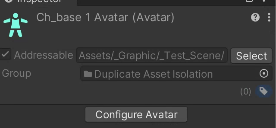
- Avatar under character model:
- Another overlooked part: in previous post about Strip Engine Code -> link
- At that time, IL2CPP + Strip Engine Code were enabled in Unity build options, but
link.xmldid not preserve Animator-related classes.
- At that time, IL2CPP + Strip Engine Code were enabled in Unity build options, but
- link.xml code
1
2
3
4
5
6
<type fullname="UnityEngine.AnimationClip" preserve="all" />
<type fullname="UnityEngine.Avatar" preserve="all" />
<type fullname="UnityEngine.AnimatorController" preserve="all" />
<type fullname="UnityEngine.RuntimeAnimatorController" preserve="all" />
<type fullname="UnityEngine.Animator" preserve="all" />
<type fullname="UnityEngine.AnimatorOverrideController" preserve="all" />
- With IL2CPP + Strip Engine Code enabled, Unity strips unused classes at build time. If these classes are stripped, animation can break, so preserve them in
link.xml.
If logic looks correct but behavior is weird, suspect Addressables first.
Honestly it’s still odd that dependent assets were not automatically registered when character prefab itself was added to Addressables.
- Character Avatar and Animator Controller were in an art-managed folder, not under Downloadable Assets folder.
- So assets can still be added to Addressable Groups even if they are outside addressable storage folder.
- This can create duplication across assets/materials, so use Addressable Analyze to check duplicates/dependencies and optimize.
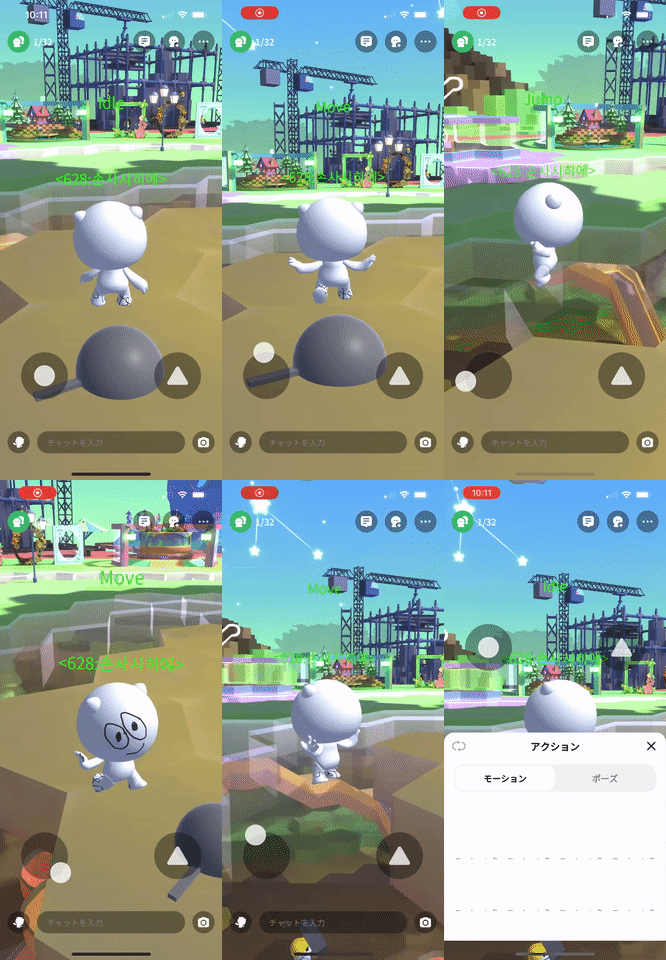
Animator works correctly after the fix
This post is licensed under CC BY 4.0 by the author.