
About C# LINQ Performance

- LINQ Count() has significant overhead versus for/foreach - never use it in per-frame calls
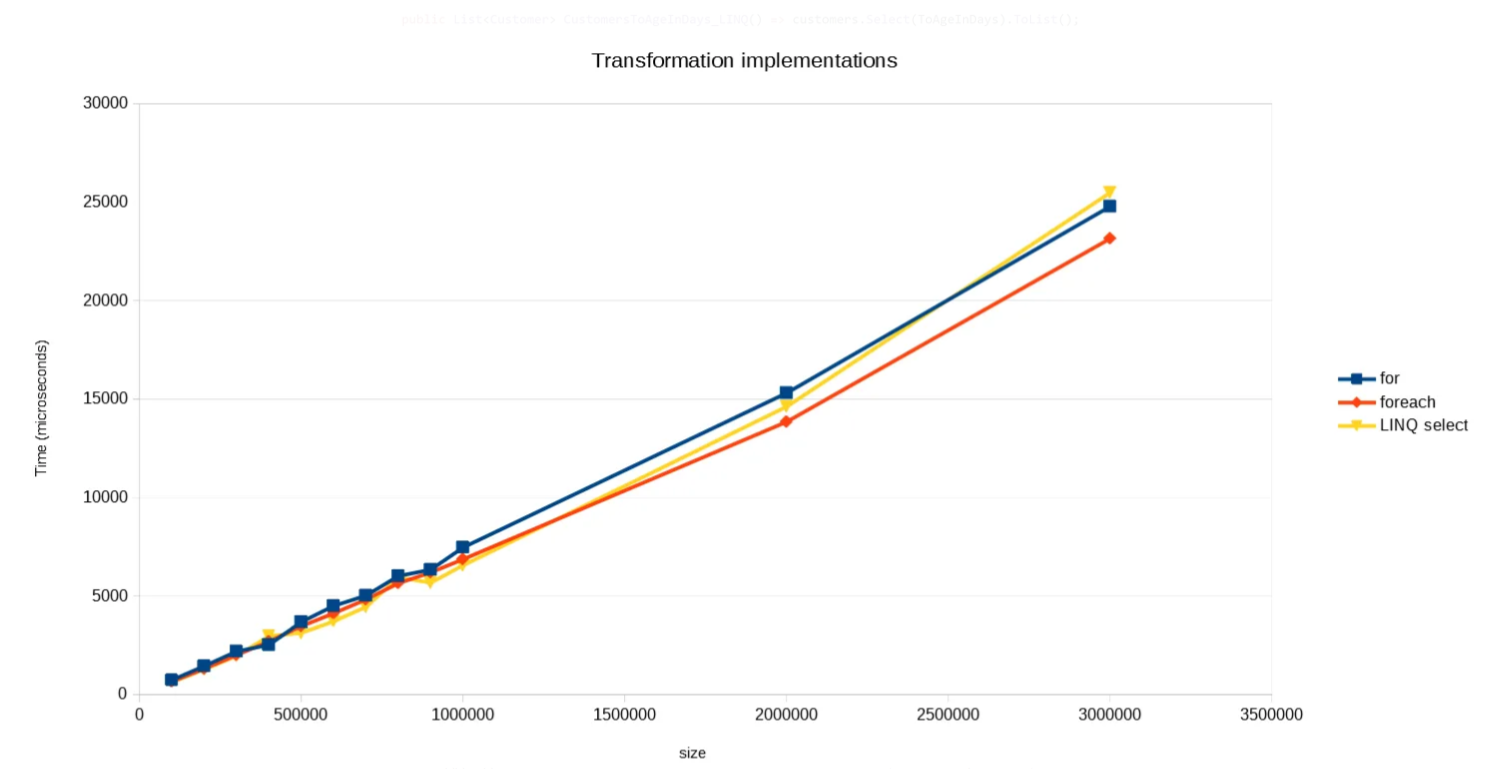
- Filtering (Where) and transformation (Select) perform close to for/foreach
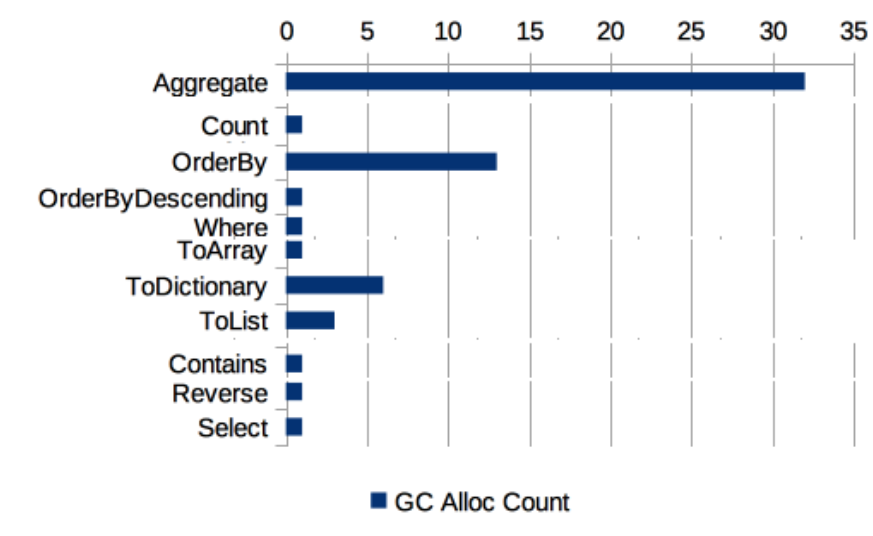
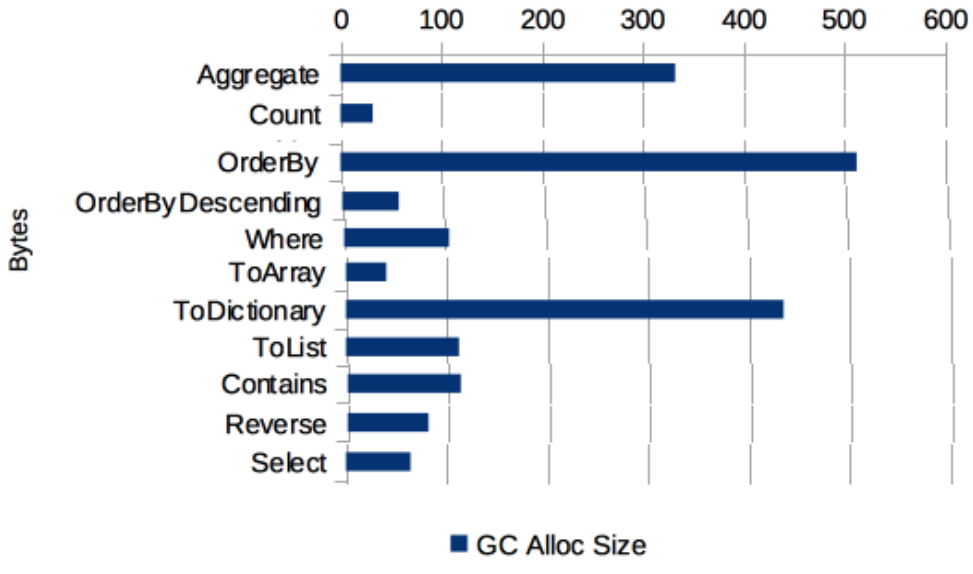
- LINQ creates intermediate buffers (arrays), increasing GC pressure - frequent calls can cause GC spikes
- Use LINQ for prototypes/non-critical paths, and for/foreach for per-frame or performance-critical code

Table of Contents
- Advantages of LINQ
- Usage Rules
- Benchmark - Loops
- Benchmark - Filtering
- Benchmark - Transformation
- How Much GC Does LINQ Create?
- Conclusion
Advantages of LINQ
- LINQ (Language Integrated Query) is a C# feature set for writing concise and convenient code.
Developers can use query syntax to perform filtering, sorting, and grouping on data sources
with minimal code.
Notes When Using LINQ
- Most LINQ operators create intermediate buffers (a kind of array), and all of that becomes garbage. 👉 GC occurs
- Even when one or two LINQ operators are enough, splitting logic into many LINQ calls for readability can degrade performance.
- Operators such as Average, Count, OrderBy, and Reverse iterate the source sequence, so they are less efficient from a performance perspective.
So before using LINQ, think through these rules.
Usage Rules
- Is this a situation where rapid implementation matters (prototype, TDD)? - Use LINQ
- Is this code not performance-sensitive? - Use LINQ
- Is LINQ’s convenience/readability truly needed here? - Use LINQ
- Is this called every frame or performance-critical? - Do not use LINQ
LINQ Performance Benchmark
- Benchmark library: BenchMark
- Test code: TestCode
- Original article: LinqPerformance
Benchmark - Loops
Return the number of Customers whose age is below 18
// Performance: fast (no GC)
int count = 0;
foreach (var c in customers)
{
    if (c.Age < 18)
        count++;
}
return count;// Performance: slower (GC occurs)
// Count() internally
// iterates the entire sequence
return customers
.Count(c => c.Age < 18);For / Foreach
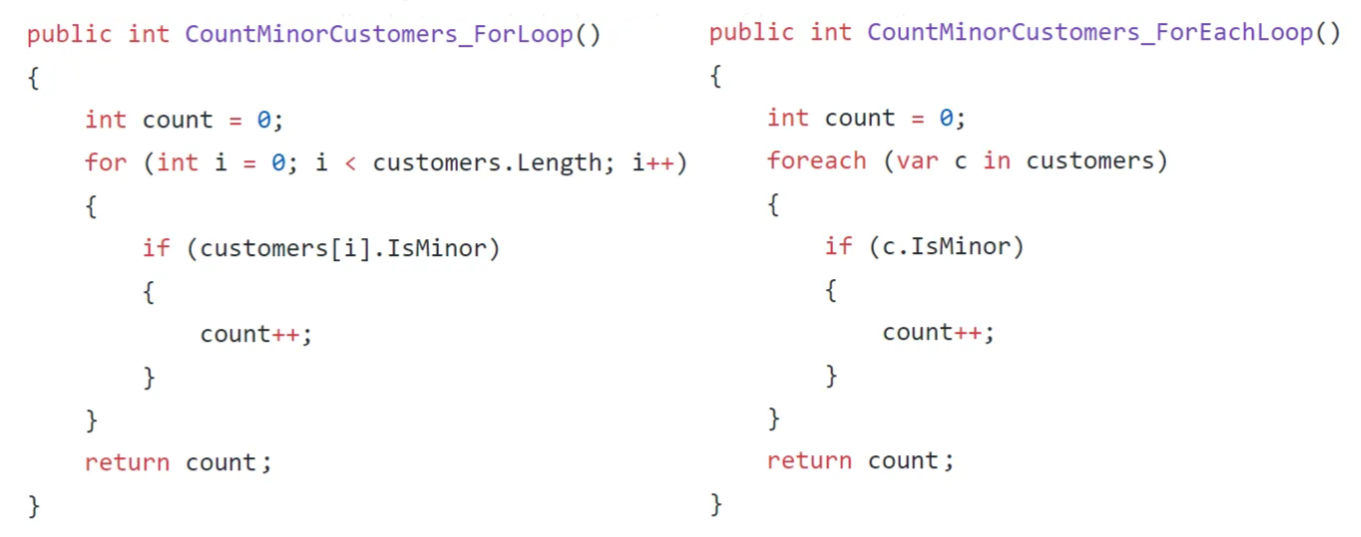
LINQ Count / Predicate Count

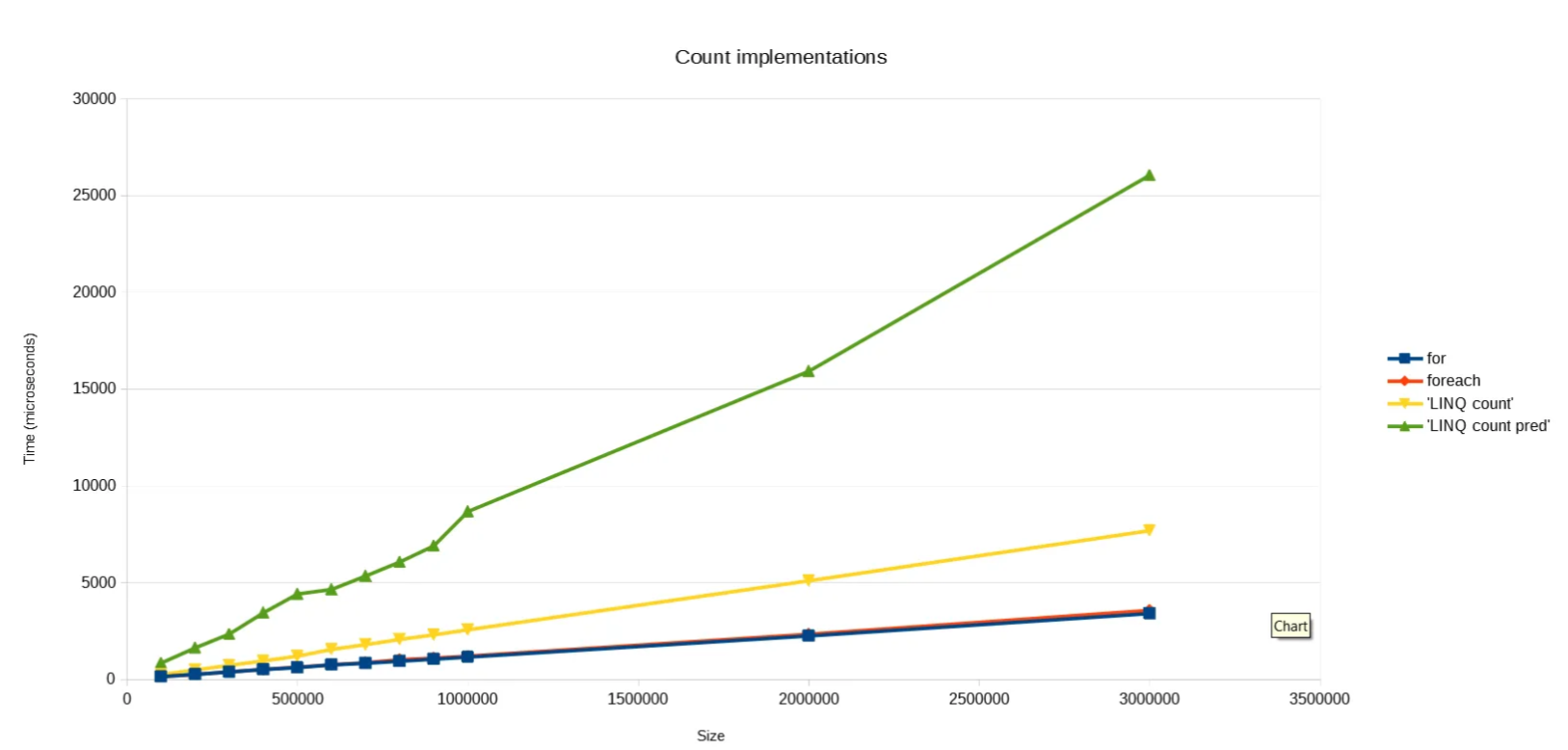
Compared to for/foreach, LINQ has some overhead (indirect extra time, memory, and resources for functionality).
Filtering then counting is relatively close to for, but plain Count that returns sequence length shows notable performance degradation.
Benchmark - Filtering
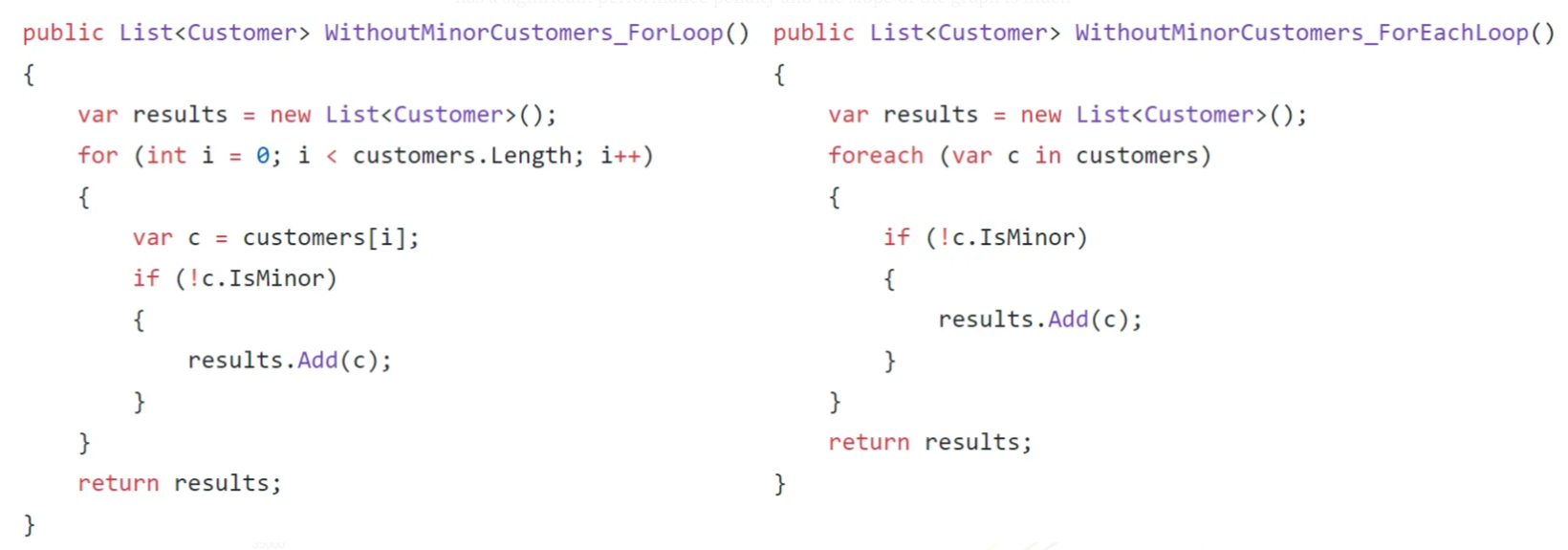
Return a list that is a subset of customers with age 18 or higher
For / Foreach
LINQ

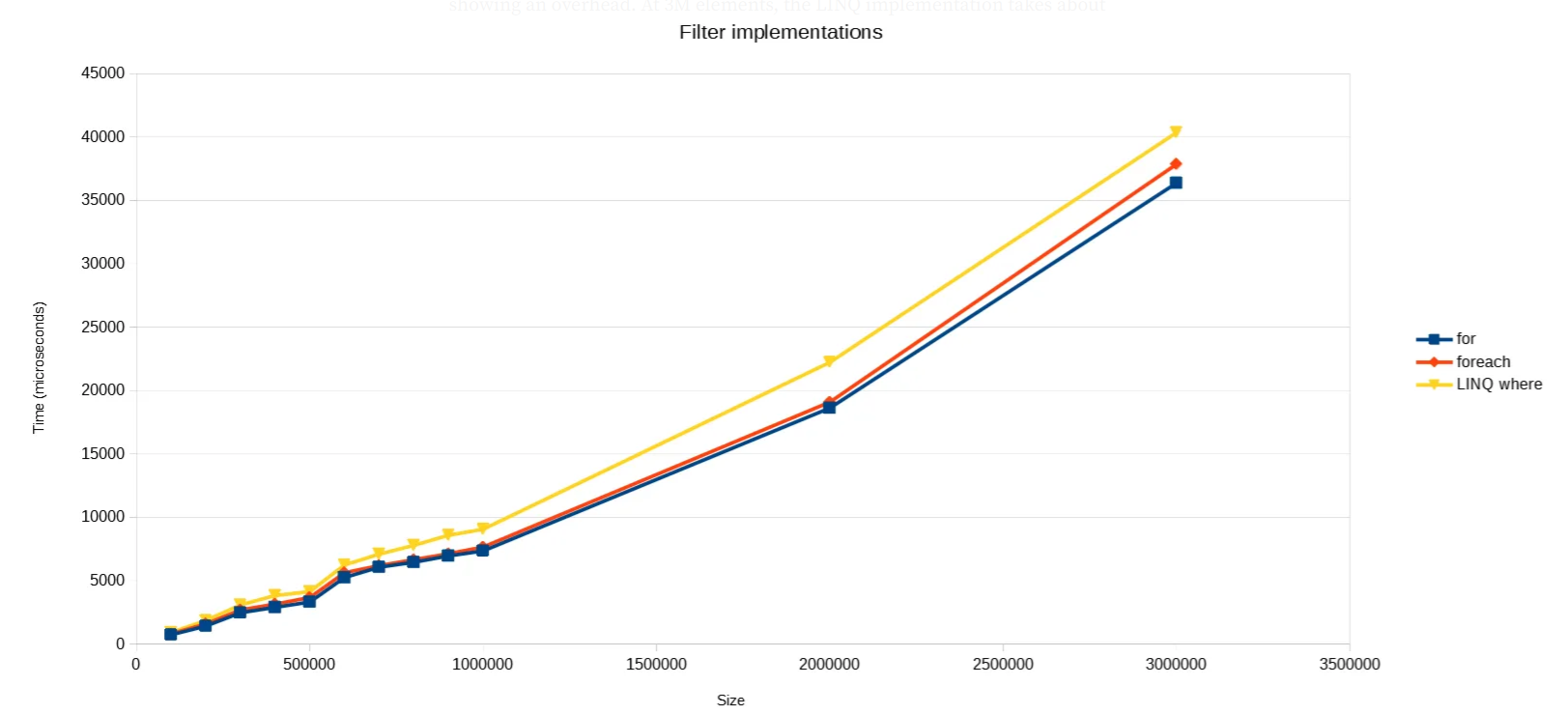
It shows very similar performance to for/foreach implementation. About 4ms slower than for/foreach.
Example code actually used when filtering RaycastAll results and checking tags

For filtering scenarios, LINQ made the code much more concise and readable than typical for/foreach.
Benchmark - Transformation
Return a list of customers where age is represented in months instead of years
For / Foreach

LINQ

How Much GC Does LINQ Create?
See the link below for test conditions.
- Original article: Just How Much Garbage Does LINQ Create?
Result
- GC Alloc Count
Microsoft Docs: Performance Recommendations for Unity
Performance recommendations for Unity
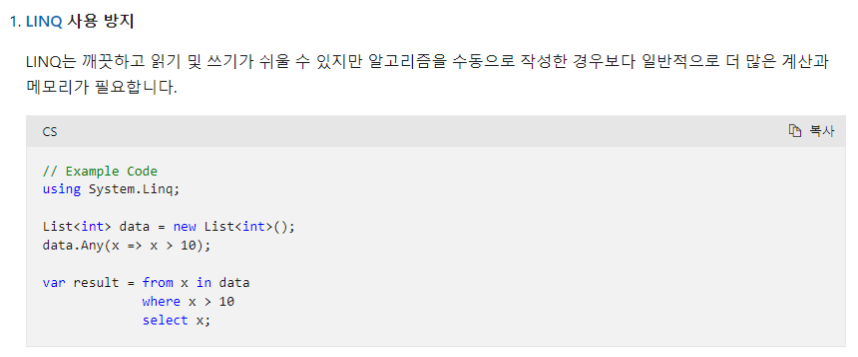
LINQ vs For - Performance Comparison Chart
Conclusion
- LINQ
Countis significantly slower. - Filtering (
Where) and transformation (Select) are similar toforin performance. - LINQ allows very concise one- or two-line code.
- Debugging is harder.
- GC allocation occurs; overusing LINQ can become hard to manage.
- Avoid LINQ in per-frame calls or other performance-sensitive paths.